Timeandpeople,without the chaos.
Stafy gives your team a Windows app that tracks work by the task, and gives HR one dashboard for timesheets, activity, leave and payroll.
For HR teams and company owners. Employees use the Stafy Windows app.
 Stafy
5 min
Automatic screenshots, only while the timer runs
15 min
Activity scored for every quarter hour
0
Records deleted: every change keeps its history
1
Place for time, leave, payroll and people
Spreadsheets, chat threads and guesswork.
Attendance in a spreadsheet
Copied, edited by hand, and out of date by Tuesday.
Leave in a chat thread
Approved somewhere, recorded nowhere, argued about later.
Hours nobody can show
Who worked on what, for how long, and how do you know?
Stafy puts all of it in one place, with a record nobody can quietly change.
Track work by the task, not by guesswork.
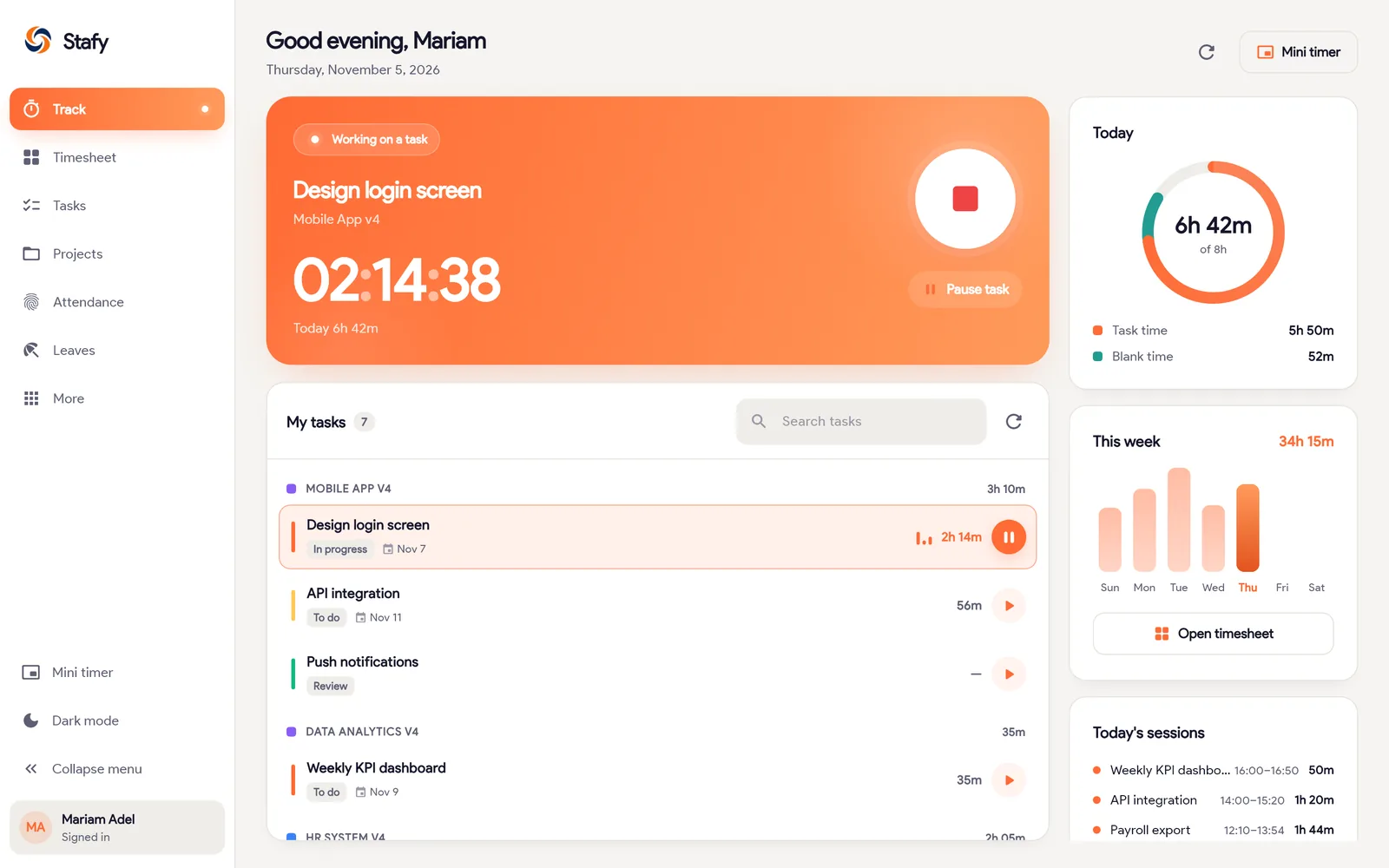
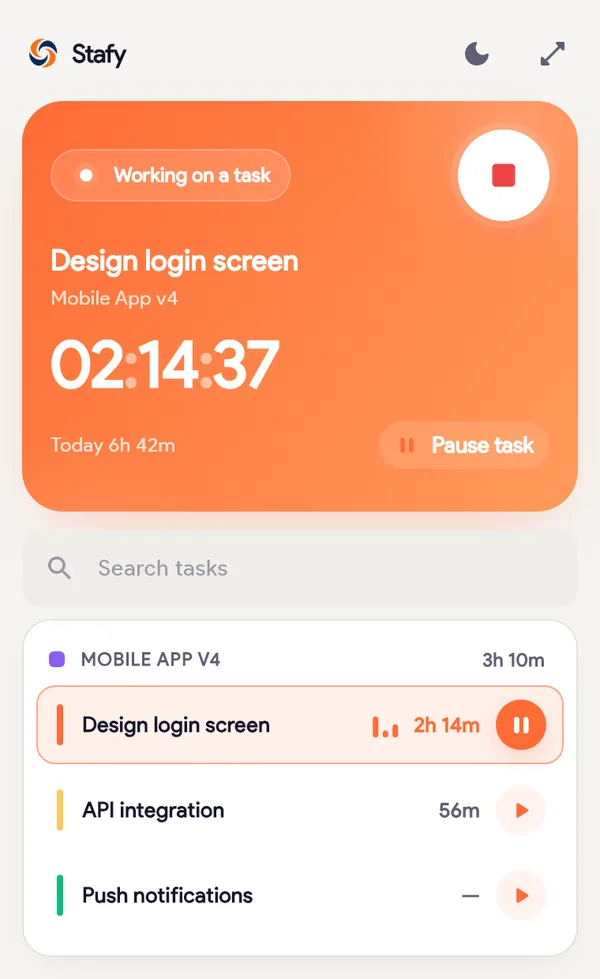
Everything an employee needs for the workday lives in one desktop app, in light or dark mode.
Press Start, pick a task, and Stafy counts every second. Switch tasks without stopping, and see today and this week at a glance.
StafyThe whole picture, with the proof behind it.
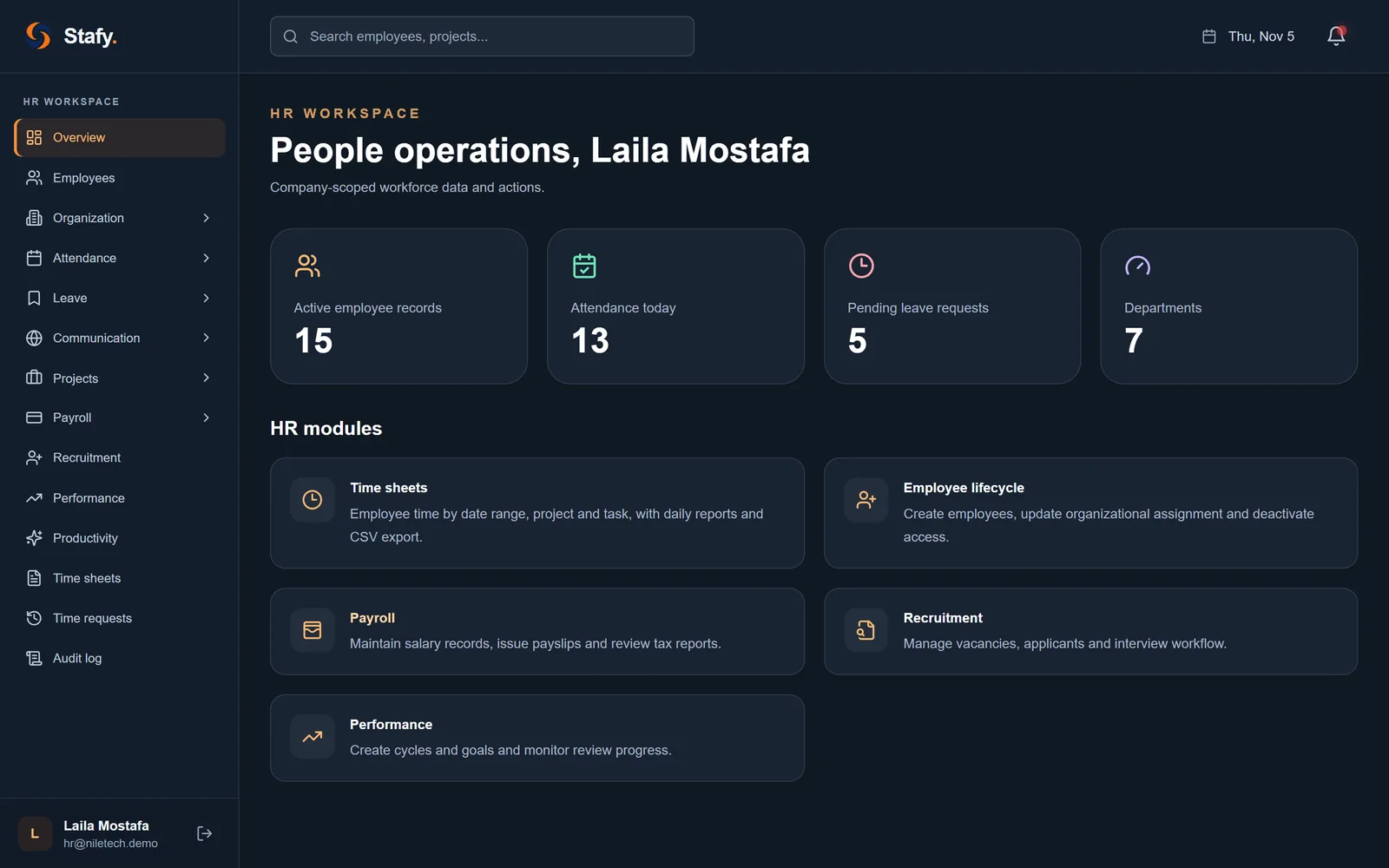
Every employee’s time, activity, leave and pay in one dashboard, with the history behind each number.
Active employees, today’s attendance, pending leave and every HR module, one click away.
And everything else HR runs on
Up and running in three steps.
We set up your workspace
Your company, its branches and departments, and the first HR account.
Your team installs the app
Each employee signs in to the Windows app, presses Start and picks a task.
HR sees the whole picture
Timesheets, activity, time requests, leave and payroll, live in the dashboard.
Fair to managers. Fair to employees.
Clear numbers end arguments about hours. Clear rules make people comfortable with them.
Nothing hidden
Employees see their own activity score, timeline and top apps in the Windows app.
Screenshots only while working
Screenshots are taken only while the timer runs. When the employee stops, capture stops.
Manual time is labeled
Time added by hand is marked everywhere it appears, so it is never mistaken for tracked time.
Nothing is edited or deleted
Corrections and leave decisions are added as new entries. The original always stays in the history.
Your data stays yours
Each company is its own workspace. One company never sees another company’s data.
Signed updates
The Windows app updates itself, and installs only updates signed by Stafy and checked after download.
Questions teams ask first.
No. The Windows app takes a screenshot every 5 minutes, and only while the timer runs. When the employee stops the timer, capture stops. Employees can see their own activity in the app.
Your team’s time, finally clear.
Sign in to your HR dashboard, or see Stafy in action first.